AI notetaker
Rethinking Voice Capture & Synthesis on Mobile
Role
Product Designer
Duration
5 days | 2026
Team
5 people (Me, PM, 3 Developers)

Problem
Memory Loss: Users attend multiple meetings a day and struggle to remember key details and action items later.
Poor Workarounds: Current options are pen and paper or basic audio apps. Most AI tools only work on desktop or with call bots.
Varied Use Cases: Voice notes range from 10-minute daily sync ideas to 45-minute interviews, making static templates useless.
Outcome
Shipped a mobile AI note-taker that gives users instant, glanceable summaries and action items without typing/writing during meetings.

UX goals
To begin, I outlined three commitments that would determine the success of this project.
Glanceable summaries Formatting outputs into clear cards so users absorb key points in seconds.
Fast capture & processing Removing app delays so recording and summary generation happen instantly.
Easy memory recall Helping users find key decisions and action items long after a meeting.
Context-aware summaries
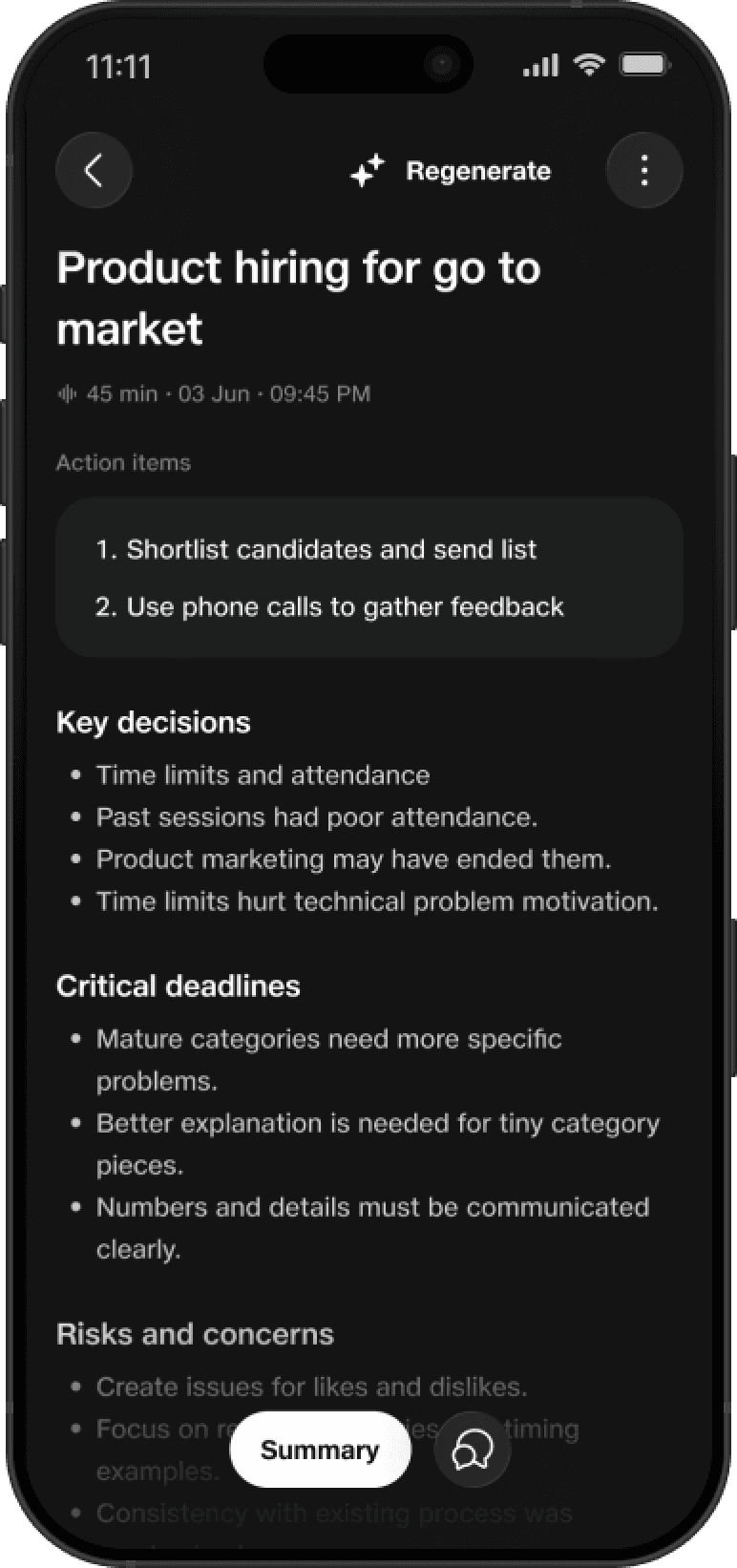
We replaced fixed meeting templates with adaptive summaries. The AI detects the context of the audio and dynamically changes the layout so users only see what matters.
Short Ideas: Shows a clean block focused entirely on preserving raw thoughts without extra clutter.
Quick Alignments: Highlights main decisions and urgent action items right at the top.
In-Depth Meetings: Breaks content into detailed cards for key takeaways, owners, and deadlines.
Long meetings

Short thoughts

Live recording & quick controls
Recording on mobile happens on the go, so controls need to be large, fast, and fail-safe.
One-tap live controls: Instant pause, resume, and stop actions mapped to large, unambiguous touch targets.
Real-time visual feedback: Clean waveform visualization so users immediately know audio is being captured without checking levels.
Accidental-stop protection: Clear confirmation states to prevent users from accidentally dropping a recording mid-session.
Putting it all together
By connecting instant entry points, clear live controls, and adaptive AI layouts, audio notes are transformed from passive recordings into structured, actionable knowledge.
Instant capture: The user taps a widget on the lock screen to start recording immediately without opening the app.
Focused live state: Clear visual feedback and large controls give users confidence during live audio capture.
Adaptive summary: The app processes audio in the background and dynamically renders a summary layout tailored to the specific meeting type.


Light mode
OLED Dark Mode default: Deep dark tones reduce visual distraction during live conversations while conserving power.
High-contrast light theme: Tuned for outdoor legibility and direct sunlight.
Semantic color tokens: 1:1 thematic mapping ensures effortless dark/light visual parity.
System-level scalability: Standardized card components ready for future AI module updates.


Next Steps & reflections
One-tap integrations: Direct export to slack and calendar integration.
On-device speaker tagging: Multi-speaker detection fine-tuned for group meetings.
Cross-device handoff: Seamless transition from mobile capture to desktop analysis.